Why the Kitchen Is the Trickiest Room for Smart Devices
The kitchen presents a unique challenge for smart home devices: your hands are rarely free, ambient noise from appliances is constant, and you need information fast — a glance at a timer, a hands-free unit conversion, or a quick reminder of the next step in a recipe. That makes the room a genuine test for both smart speakers and smart displays.
If you're just starting to explore this space, our overview of smart home devices explains how these products connect and communicate. For kitchen appliance context more broadly, see our kitchen appliances hub.
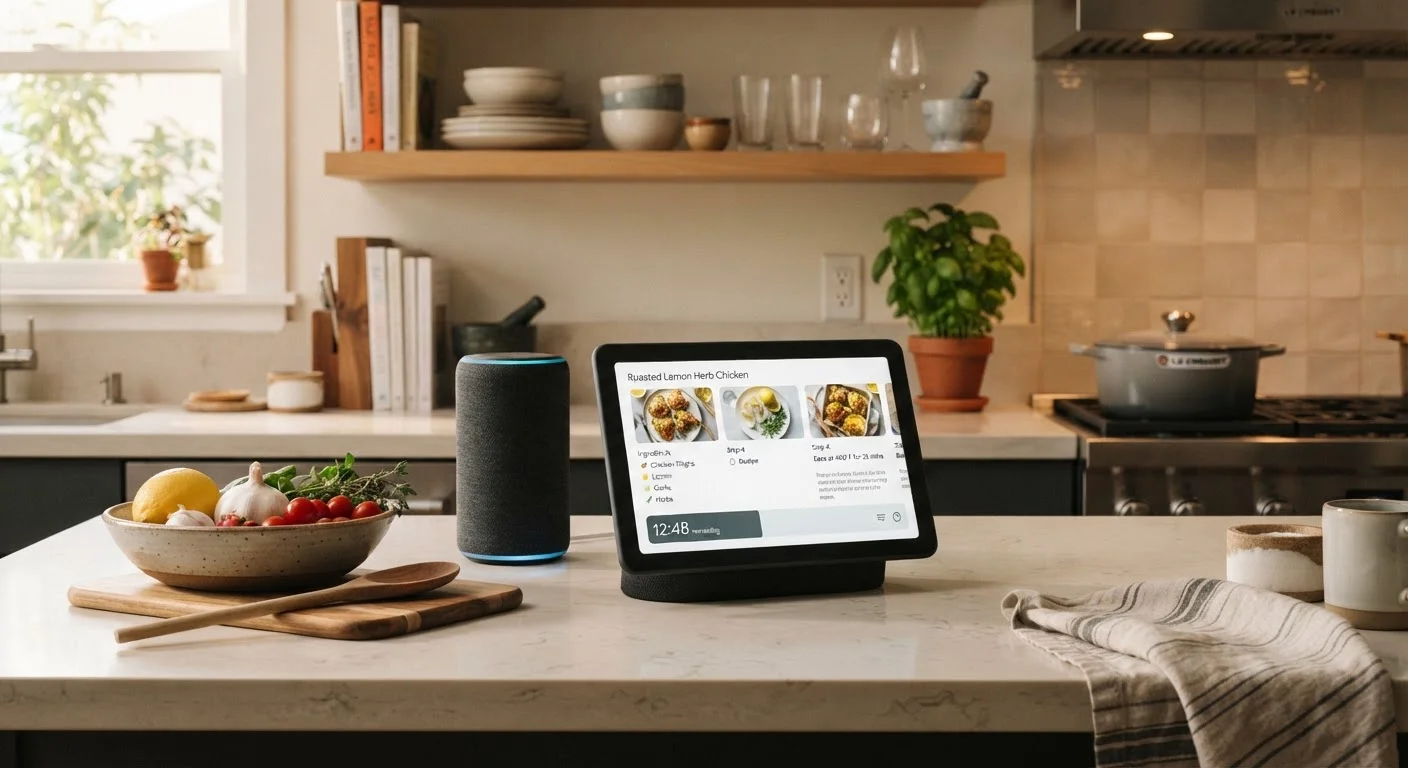
The core distinction comes down to output format: smart speakers respond with audio only, while smart displays add a touchscreen that can show recipes, video, camera feeds, and smart home controls. Both use voice assistants and always-on microphones, and both can control compatible smart home devices. The question is whether audio feedback alone meets your kitchen needs — or whether a screen genuinely changes how you cook.
What Each Device Type Actually Does in the Kitchen
Smart speakers excel at tasks where audio is sufficient: setting multiple named timers, playing music or podcasts, unit conversions, adding items to a shopping list, and controlling smart lights or appliances by voice. Their compact form factor fits easily on a crowded counter, and entry-level models are generally more affordable than comparable smart displays.
Smart displays do all of the above and layer on visual capability. A recipe can scroll step by step on screen as you cook. Video calls let remote family members join a meal prep session. A camera feed from your front door appears without touching your phone. The device can also function as a persistent visual dashboard for your smart home — showing which lights are on, what the thermostat is set to, or whether the garage door is closed.
| Smart Speaker | Smart Display | |
|---|---|---|
| Recipe guidance | Audio steps only | Visual step-by-step on screen |
| Timer management | Voice-set, audio alerts | Voice-set, visible on screen |
| Counter space required | Compact footprint | Larger, tablet-sized stand |
| Video calls | Not supported | Supported with built-in camera |
| Smart home control | Voice commands | Voice + touchscreen dashboard |
| Typical price range | Lower entry cost | Higher entry cost |
| Audio quality (general) | Varies; can be strong at higher tiers | Generally adequate; display-class |
| Privacy surface area | Microphone only | Microphone + camera |
One area often overlooked is sound quality. Smart displays tend to house larger speakers than entry-level smart speakers, which can matter if music is a priority in your kitchen. However, dedicated smart speakers in the mid-to-upper range frequently outperform display-class audio.
Practical Factors to Weigh Before Deciding
Counter space: Most smart displays have a footprint roughly equivalent to a small tablet stand. In a galley kitchen or one with limited counter real estate, this can be a genuine constraint. Smart speakers typically occupy far less surface area.
Ecosystem compatibility: Both device types tie into voice assistant platforms — primarily Amazon Alexa and Google Assistant, with Apple HomePod serving Siri users. Your existing smart devices (thermostats, lights, locks) should be confirmed compatible before you commit. Our smart home glossary can help you decode compatibility terms like Matter and Zigbee.
Privacy: Always-on microphones raise legitimate questions for both device types. Smart displays with cameras add another layer of consideration. What data your devices collect is worth reading before placing either device in a space where household conversations happen constantly.
Test Voice Recognition Before Committing
Kitchen environments — running water, exhaust fans, sizzling pans — create significant background noise. If possible, try a demo unit in a similarly noisy setting before purchasing. Far-field microphone quality varies between models and matters considerably for hands-free reliability during active cooking.
Setup complexity: Neither device type requires technical expertise to configure, though integrating with existing smart home routines takes some initial effort. If you're building a connected home from scratch, our guide on setting up a smart home without getting overwhelmed offers a room-by-room approach suited to all experience levels.
Making the Call: A Practical Framework
Think through a typical weekday in your kitchen. If your interactions are mostly: "Set a timer for 12 minutes," "What's 3 tablespoons in teaspoons?" or "Play something in the background" — a smart speaker handles all of that cleanly without the added cost or counter footprint of a display.
If you regularly cook from new recipes, watch tutorial videos while prepping, or want a single dashboard for your connected home devices, the screen earns its place. The visual interface also reduces friction for household members who are less comfortable talking to devices — tapping a control is often easier for children or older adults.
For first-time kitchen appliance buyers building out a kitchen from scratch, our introduction to kitchen appliances can help prioritize which purchases matter most before adding smart home layers.
Neither device type requires a large upfront investment to try — starting with a compact smart speaker and upgrading later is a reasonable approach if you're uncertain. What matters most is matching the device's actual output to how you work in your kitchen, not to its feature list on paper.