Why the Protocol Matters More Than You Might Think
When shopping for smart home devices, most people focus on features — does it work with Alexa, does it have a scheduling app, how does it look? What often gets overlooked is the wireless protocol each device uses to communicate. That choice affects battery life, network stability, device range, and whether your gadgets will ever reliably talk to each other.
As explained in our guide to how smart devices work together, devices on different protocols typically can't communicate directly — they need a compatible hub to bridge them. Understanding the three dominant protocols — Wi-Fi, Zigbee, and Z-Wave — before you buy can save significant frustration down the road.
One Protocol Doesn't Have to Mean One Ecosystem
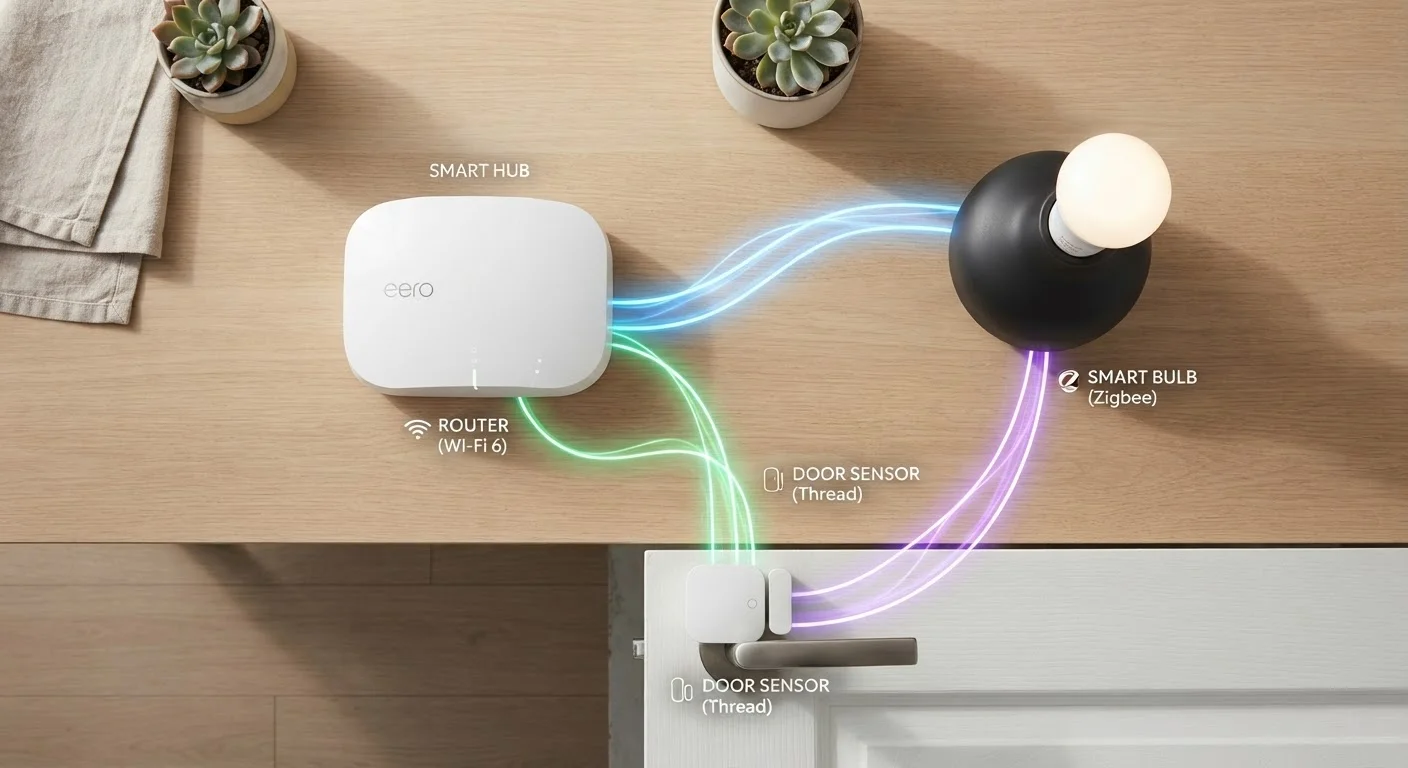
Many modern smart home hubs — such as those supporting platforms like Home Assistant, SmartThings, or Amazon's Alexa hub devices — can bridge multiple protocols simultaneously. This means you don't necessarily have to commit exclusively to Zigbee or Z-Wave; a capable hub lets you mix device types while managing them from a single interface. Check hub specifications carefully before purchasing to confirm which protocols it natively supports.
Wi-Fi: Familiar but Not Always Ideal
Wi-Fi smart devices — think plugs, cameras, and many smart bulbs — connect directly to your home router just like a phone or laptop does. There's no hub required, and setup is usually a matter of downloading an app and scanning a QR code. That simplicity is a genuine advantage for first-time buyers.
The downsides emerge at scale. Each Wi-Fi device claims a spot on your router, and routers have practical limits. A home with 30+ smart devices on Wi-Fi can experience slowdowns, dropped connections, and harder-to-manage network congestion. Wi-Fi devices also tend to draw more power, making them less suitable for battery-operated sensors that need to last months on a single charge.
Wi-Fi is best thought of as a starting point rather than a long-term architecture for a large smart home. For common pitfalls around device overload, see what catches first-time smart home buyers off guard.
Zigbee vs. Z-Wave: A Closer Look
Both Zigbee and Z-Wave are purpose-built for smart home use, operating on low-power mesh networks where devices relay signals to one another — so the more devices you add, the stronger and more resilient the network becomes. Both require a compatible hub or smart home controller. Beyond those shared traits, they differ meaningfully.
| Criterion | Zigbee | Z-Wave |
|---|---|---|
| Frequency band | 2.4 GHz (shared with Wi-Fi) | ~908 MHz (US, dedicated) |
| Network type | Mesh | Mesh |
| Hub required | Yes | Yes |
| Device ecosystem size | Very large | Moderate |
| Cross-brand compatibility | Variable by manufacturer | Enforced by certification |
| Max devices per network | Up to 65,000 nodes | Up to 232 nodes |
| Typical power draw | Very low | Very low |
| Interference risk | Higher (crowded 2.4 GHz band) | Lower (dedicated sub-GHz) |
Zigbee operates on the 2.4 GHz band — the same frequency as Wi-Fi and Bluetooth — which can introduce interference in crowded environments. Z-Wave uses a sub-1 GHz frequency (around 908 MHz in the US) that is largely free of that competition. Z-Wave also enforces a strict certification program, meaning manufacturers must meet defined interoperability standards to carry the Z-Wave logo. Zigbee has a much larger ecosystem of devices, but cross-brand compatibility can be less consistent.
For a plain-language breakdown of terms like mesh network, hub, and protocol, the Smart Home Glossary is a useful reference.
What About Matter — Does It Change Everything?
Matter is a newer smart home standard backed by major industry players, designed to create a common language between devices regardless of which ecosystem or protocol they use. Its goal is to reduce the fragmentation that has long made smart home shopping confusing.
Matter currently runs over Wi-Fi and Thread (a mesh protocol similar in concept to Zigbee), and many newer hubs and devices are adding Matter support. However, it doesn't replace Zigbee or Z-Wave outright — millions of existing devices still use those protocols, and hubs often bridge between them.
232
Maximum Z-Wave devices per network
Z-Wave's specification caps a single network at 232 nodes, which is ample for most households but worth noting for very large deployments.
65,000+
Maximum Zigbee nodes per network
Zigbee's theoretical node ceiling makes it suitable for large-scale or commercial smart building installations, well beyond typical home use.
The practical takeaway: if you're building a new setup, look for devices and hubs that support Matter where available. If you already own Zigbee or Z-Wave devices, a Matter-compatible hub can often serve as a bridge. Planning ahead is easier when you have a clear room-by-room strategy — our guide to setting up a smart home without getting overwhelmed can help.